


How to let C# runs cmd to output messages in real time? Today, I use WinForm to write an automated tool software. I need to call cmd to run some batch scripts, and I need to output response messages in real time in another WinForm form. How to achieve it? This post answers that question with sample code.
C# runs cmd to output messages
When writing C# projects, I sometimes use the cmd command to perform some operations. Here is an example I wrote to illustrate how to use the cmd command line in C#, In the sample code below, you can execute multiple commands.
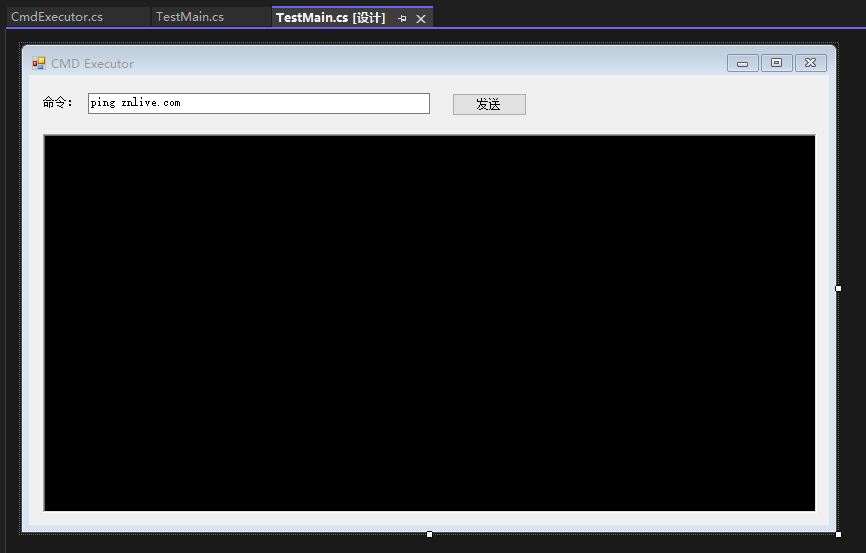
Code Sample
    /// <summary>
    /// CMD Executor
    /// </summary>
    public static class CmdExecutor
    {
        /// <summary>
        /// Execute CMD command and get console output
        /// </summary>
        /// <param name="command">cmmand</param>
        /// <param name="workingDir">Working directory, default is "."</param>
        /// <param name="callBack">Callback</param>
        public static void ExecuteCmd(string[] command, string workingDir, DataReceivedEventHandler callBack = null)
        {
            using (Process pc = new Process())
            {
                pc.StartInfo.FileName = "cmd.exe";
                pc.StartInfo.CreateNoWindow = true;
                pc.StartInfo.RedirectStandardError = true;
                pc.StartInfo.RedirectStandardInput = true;
                pc.StartInfo.RedirectStandardOutput = true;
                pc.StartInfo.UseShellExecute = false;
                pc.StartInfo.WorkingDirectory = workingDir;
                //pc.StartInfo.StandardOutputEncoding = Encoding.Default;
                pc.OutputDataReceived += callBack;
                pc.Start();
                pc.BeginOutputReadLine();

                int lenght = command.Length;
                foreach (string com in command)
                {
                    pc.StandardInput.WriteLine(com);
                }
                pc.StandardInput.WriteLine("exit");
                pc.Close();
            }
        }

        /// <summary>
        /// Execute the CMD command file and get the console output
        /// </summary>
        public static string ExecuteCmdFile(string fileName)
        {
            Check.FileExists(fileName, nameof(fileName));
            string ext = Path.GetExtension(fileName);
            if (!new[] { ".bat", ".cmd" }.Any(m => m.Equals(ext, StringComparison.OrdinalIgnoreCase)))
            {
                throw new ArgumentException("The filename must end with ".bat, .cmd");
            }

            Process process = new Process();
            process.StartInfo.UseShellExecute = false;
            process.StartInfo.RedirectStandardOutput = true;
            process.StartInfo.FileName = fileName;
            process.Start();
            string output = process.StandardOutput.ReadToEnd();
            process.WaitForExit();
            return output;
        }
    }
Example Program Running Video
How to call?
You just need to add a button on the form, add an event, and call it like the following in the event code.
        private void button1_Click(object sender, EventArgs e)
        {
            CmdExecutor.ExecuteCmd(textBox1.Text.Split('|'), ".", (s, dre) =>
            {
                richTextBox1.SetText(dre.Data);
            });
        }
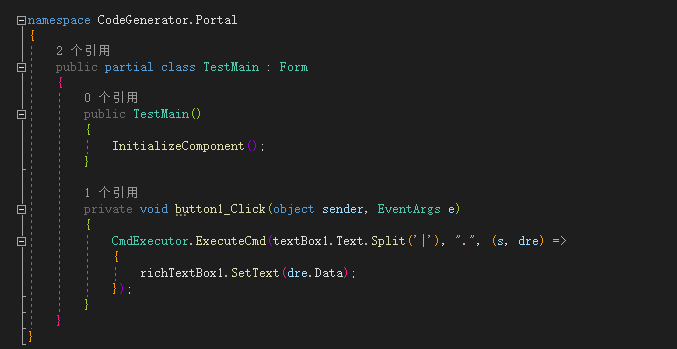
Because it is running in multiple threads, SetText in the above code is an extension method, as follows:
        /// <summary>
        ///Safely set control Text value in multi-threaded environment
        /// </summary>
        /// <param name="control">any control object</param>
        /// <param name="text">text value</param>
        public static void SetText(this Control control, string text)
        {
            if (control is RichTextBox)
            {
                var richTextBox = control as RichTextBox;
                richTextBox.Invoke(new MethodInvoker(delegate ()
                {
                    if (richTextBox.Text.Length > 90000) richTextBox.Text = string.Empty;
                    richTextBox.Text += text + "\r\n";
                    richTextBox.SelectionStart = richTextBox.TextLength;
                    richTextBox.ScrollToCaret();
                }));
            }
            else
            {
                control?.Invoke(new Action(() =>
                {
                    control.Text = text;
                }));
            }
        }